The Wedding RSVP Tracker That Updates in Real Time
Stop chasing replies across spreadsheets and group chats. Cedar Invites is a live wedding RSVP tracker: every guest replies in one tap from their own invitation link, and the answer lands in your dashboard the moment they send it — so your headcount is always current, and guests who haven't replied get reminded automatically.
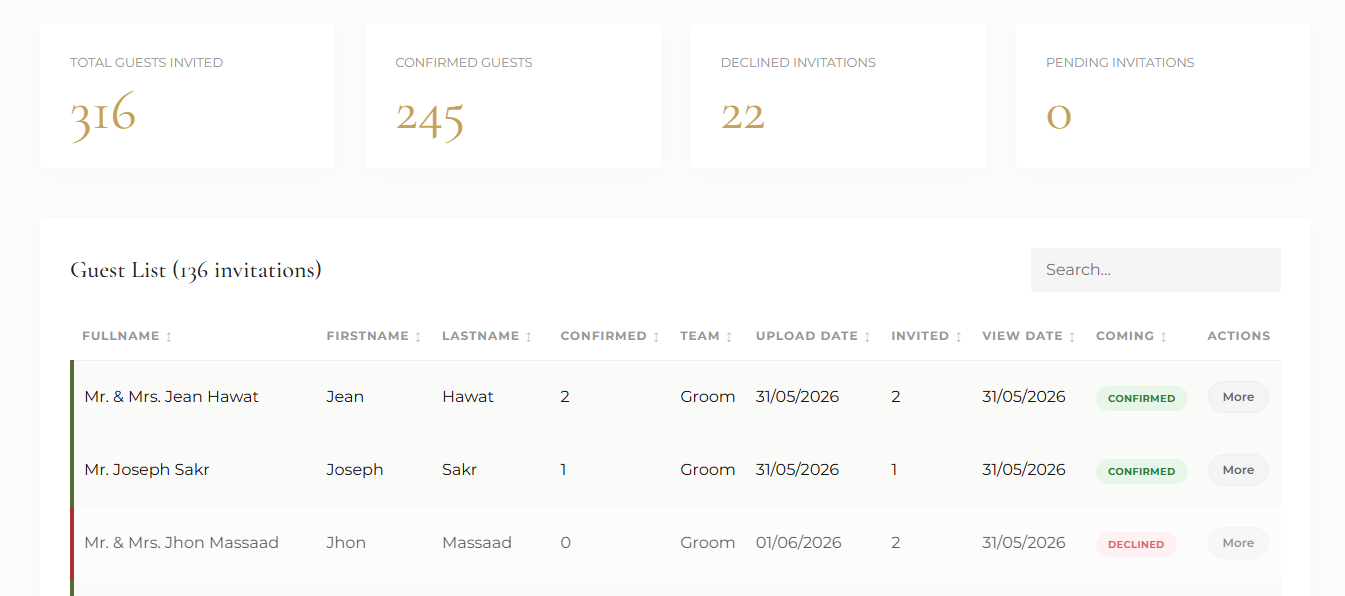
- Live headcount that updates the moment a guest responds
- Plus-one gating so uninvited extras can't add themselves
- Per-household names, notes and optional questions such as dietary needs
- Automatic reminders to every guest who hasn't replied, plus one-click nudges
How to track wedding RSVPs online, step by step
The easiest way to track wedding RSVPs is to connect every reply to the guest it belongs to. That's what a personal invitation link per guest does — no matching names by hand.
- Build one guest list, grouped by household, with the number of seats each invitation includes.
- Send every household its own personalized invitation link — on WhatsApp in one click, or by link or QR code.
- Guests open the link and reply in one tap: attending or not, and how many of their seats they'll use. Switch on extra questions, such as dietary needs, if you want them.
- Watch the dashboard fill in live: confirmed, declined and pending, with a running headcount.
- Set an RSVP deadline 4–6 weeks before the wedding. Guests still pending get reminded automatically — and you can nudge them yourself in one click anytime.
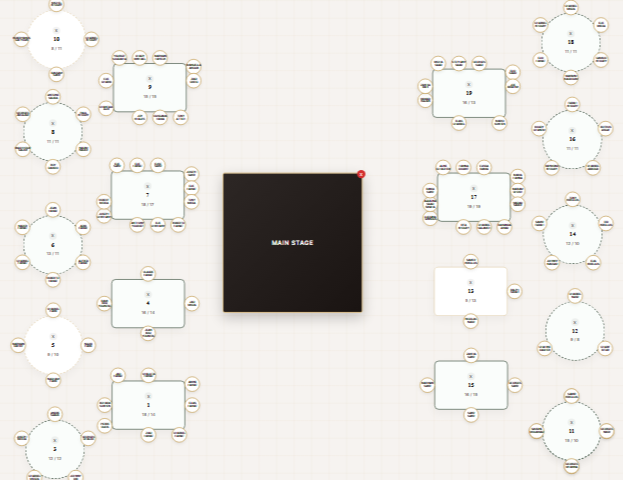
- Hand your caterer and venue a final headcount you can trust — then seat confirmed guests on your floor plan.
What your RSVP tracker shows you
Everything you need to plan, in one view — searchable by name and filterable by status.
- Live totals: invited, confirmed, declined and still pending
- Seats used per household against the seats you allocated
- Answers to any optional questions you switched on, such as dietary needs
- Notes and messages guests leave with their reply
- Who is still pending — reminded automatically, or nudged by you in one click
RSVP tracker vs spreadsheet
A spreadsheet works until the replies start arriving by WhatsApp, phone and in person — and three family members each keep their own copy. A live tracker records each answer once, against the right guest, the moment it's sent. If you'd still like a spreadsheet to plan your list before the invitations go out, start with our free wedding guest list template.
Built for guests of every generation
The RSVP flow requires no account and no app — just a tap. Large type, clear buttons and a guided step-by-step form mean your least tech-savvy guests respond as easily as your most connected ones, keeping completion rates high. Need wording for your reminders? See how to get guests to RSVP.
Frequently asked
How do you track wedding RSVPs?
Give every household its own invitation link, so each reply is recorded against the right guest automatically. With Cedar Invites, guests reply in one tap and the dashboard updates live with confirmed, declined and pending guests, plus a running headcount.
What is the best wedding RSVP tracker?
The best wedding RSVP tracker is one your guests can answer without an account or app, and that shows live headcounts and who still needs a reminder. Cedar Invites does this with a personal invitation link per guest, WhatsApp delivery and automatic reminders to guests who haven't replied, and it's built in with every invitation.
Is there a free wedding RSVP tracker?
Free options include a spreadsheet, such as our free wedding guest list template, or the website RSVP from free wedding-website builders. Cedar Invites includes live RSVP tracking with every invitation (from $99 per wedding, with no per-guest fees), so replies, reminders and headcounts live in one place.
Can guests RSVP to a wedding on WhatsApp?
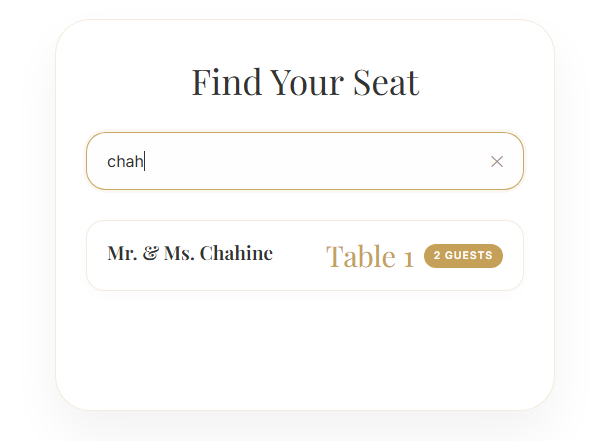
Yes. With Cedar Invites, each guest receives their personal invitation on WhatsApp and replies from the invitation in one tap, without leaving the chat for an app or creating an account. Their answer appears in your RSVP tracker immediately.
Can I limit plus-ones so uninvited guests don't show up?
Yes. You set each household's invited names and number of seats in advance, so guests can only confirm the seats you've allocated and can't add extras themselves.
When should the RSVP deadline be?
Four to six weeks before the wedding is ideal. Cedar Invites reminds guests who haven't replied automatically as the deadline approaches, so you don't have to message them one by one.
Can I track wedding RSVPs online from my phone?
Yes. The RSVP dashboard is fully web-based, so you can check live responses, headcounts and guest notes from any phone or computer, wherever you are.
Guides & ideas
- Free wedding guest list template (Excel)
- Wedding RSVP deadline: when should guests reply by?
- How to get guests to RSVP: reminder messages to copy
- How wedding planners manage RSVPs & seating without spreadsheets
- When to send wedding invitations: the complete timeline
- Paperless Post alternatives for weddings
- Do guests prefer digital or paper invitations?