QR Seat Finder — Scan to Find Your Seat
Replace the hard-to-read escort-card board with a seat finder your guests carry in their pocket. Guests scan a single QR code to find their seat — one tap and they're guided directly to their table, with no bottlenecks at the door.
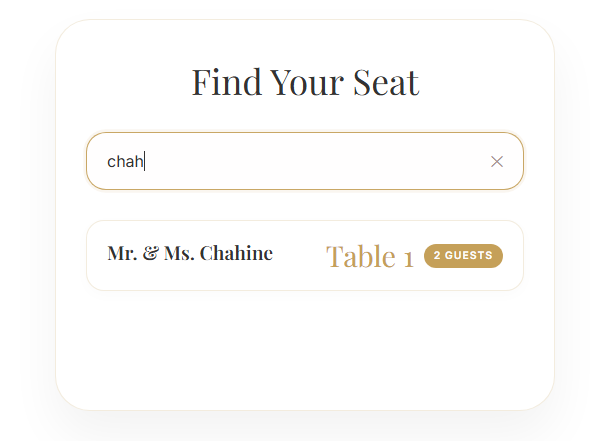
- Guests scan a QR code and instantly see their table
- No app or login — it opens in the phone's browser
- Eliminates entrance queues at large receptions
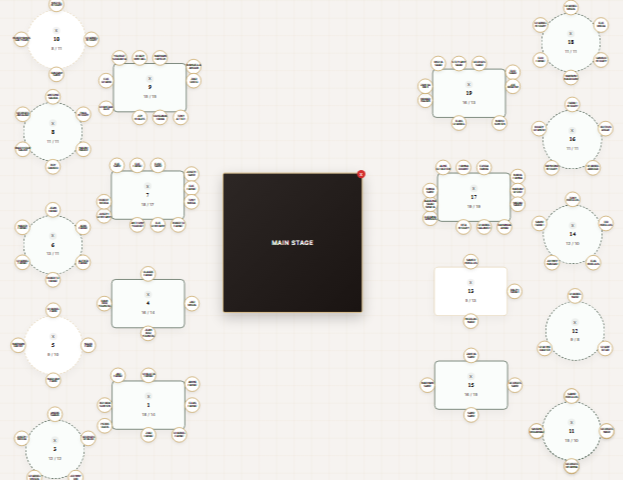
- Updates live when you change the seating plan
From door to table in one scan
Print a single QR code on your signage or table cards. Guests scan it, enter their name, and get a clear route to their seat — turning the most congested moment of the evening into a smooth, self-serve experience.
A digital escort card display
Traditional escort cards and seating boards need to be printed, alphabetized and reprinted whenever a guest changes tables. A QR escort sign does the same job digitally: one elegant sign at the entrance, and every guest gets a personal escort card on their phone that always matches your latest floor plan.
Scales to the largest celebrations
Whether it's 80 guests or 800, the seat finder handles complex arrangements without the printing costs and last-minute reprints of physical charts. Change a table assignment and every guest sees the update instantly.
Frequently asked
Do guests need to download anything?
No. The seat finder opens directly in the phone's browser from a QR scan — there's nothing to install and no account to create.
What if I move guests around after printing?
The QR code points to a live plan, so any seating change you make is reflected immediately — no reprinting required.
Can a QR code replace printed escort cards?
Yes. Instead of a wall of printed escort cards, you display one QR escort sign at the entrance. Each guest scans it and sees their own table — and if you move someone at the last minute, the digital escort card updates instantly with nothing to reprint.
How does a scan-to-find-your-seat QR code work?
You print one QR code on your signage or table cards. A guest scans it, types their name, and the seat finder instantly shows their table and walks them to it — the digital replacement for a printed 'please find your seat' escort board.